NDEVR OWL · Client & Viewer
Your 3D,
in any browser.
The OWL Online Viewer is a zero-install, browser-based interface that lets anyone view, annotate and interact with complex 3D files in real time. Built for performance and security, it pairs with the OWL client to deliver fast, encrypted access to spatial data — no plugins, no software, no login.
WASM, near-native
Built on WebAssembly to render high-polygon assets smoothly — even offline in edge deployments.
Encrypted streaming
Data streams over secure channels with user-specific keys and per-session authorization. The bytes decrypt on your device.
Anywhere, any screen
Any modern browser, including tablets and phones. Responsive design keeps it usable on every screen size.
What it does
A full 3D workstation in a tab
Everything you need to review, measure and mark up spatial data — without installing a thing.
Interactive 3D viewer
Pan, zoom, rotate and isolate layers. Navigate dense assemblies with smooth, responsive rendering.
Annotation & markup
Add comments, markups and callouts directly on models, tied to specific geometry and synced with version history.
Precision tools
Measure distances, angles and surfaces with engineering-grade accuracy for QA, review and approval.
Version-aware browsing
Switch between historical versions, track changes and compare revisions — all without leaving the browser.
Real-time collaboration
Collaborate live over WebSocket. See cursor movement, comments and selections in real time across remote users.
Encrypted streaming
Streamed over secure channels with user-specific keys and per-session authorization for confidential access.
Mobile ready
Open 3D content on any modern browser, including tablets and phones, with a responsive, touch-friendly UI.
WASM accelerated
WebAssembly delivers near-native performance, even on high-polygon assets or offline edge deployments.
★ 2026 Edition
Not just a viewer anymore
The new web client brings your whole encrypted world into the browser — library, messaging and log tools included. The bytes are decrypted on your device, never on our servers.
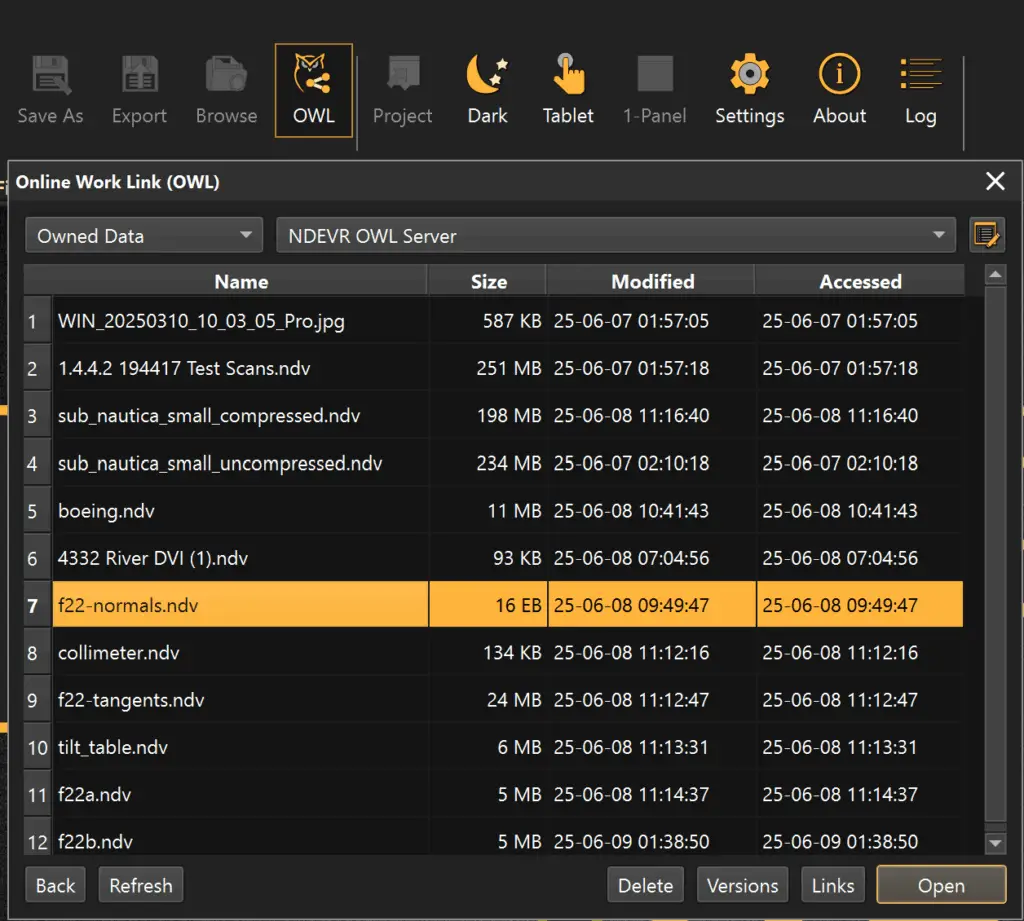
- 📁Encrypted library. Browse folders, drag files in to upload, and open scans, images, video, PDFs and docs without downloading a thing.
- 💬Messaging on the file. Start a conversation pinned to any file or folder, share an encrypted attachment inline, and ask @QUAIL right in the thread.
- 📊Log viewer. Drop in any log for a virtualized, severity-coloured view with fast search, charts and AI Insights.
- 📧Email share cards. Copy a branded preview card and paste it straight into Gmail, Outlook or Apple Mail.
From file to link
How sharing works
Six steps from a file on your machine to a secure link anyone can open. The server only ever sees ciphertext.
Select file
Choose any file, or share the current project. For read-only shares the file must be supported by the viewer.
Manage versions
Pick an object name. Each object is owned by you; if a duplicate is found you decide how to update it.
Choose share method
Complete control over who can access the data. A secure encrypted link ensures only authorized recipients view or edit it.
Select permissions
Allow editing or not, set how long access lasts, and toggle capabilities like export or measurement tools.
Get a link
Data is compressed, encrypted and sent — the server receives only ciphertext, while the key stays in the link. Without it, nothing decrypts.
Share the link
Share with trusted people or internally. Anyone with the link key gets exactly the permissions you granted — no account or login needed.
Objects and versions are easily managed; permissions can be changed or revoked at any time through the OWL menu. The online viewer is free to use and capable of rendering complex datasets.
See your data in seconds.
No install, no login — just open a work link and explore. When you're ready to share your own, the client builds end-to-end encrypted links in a few clicks.